
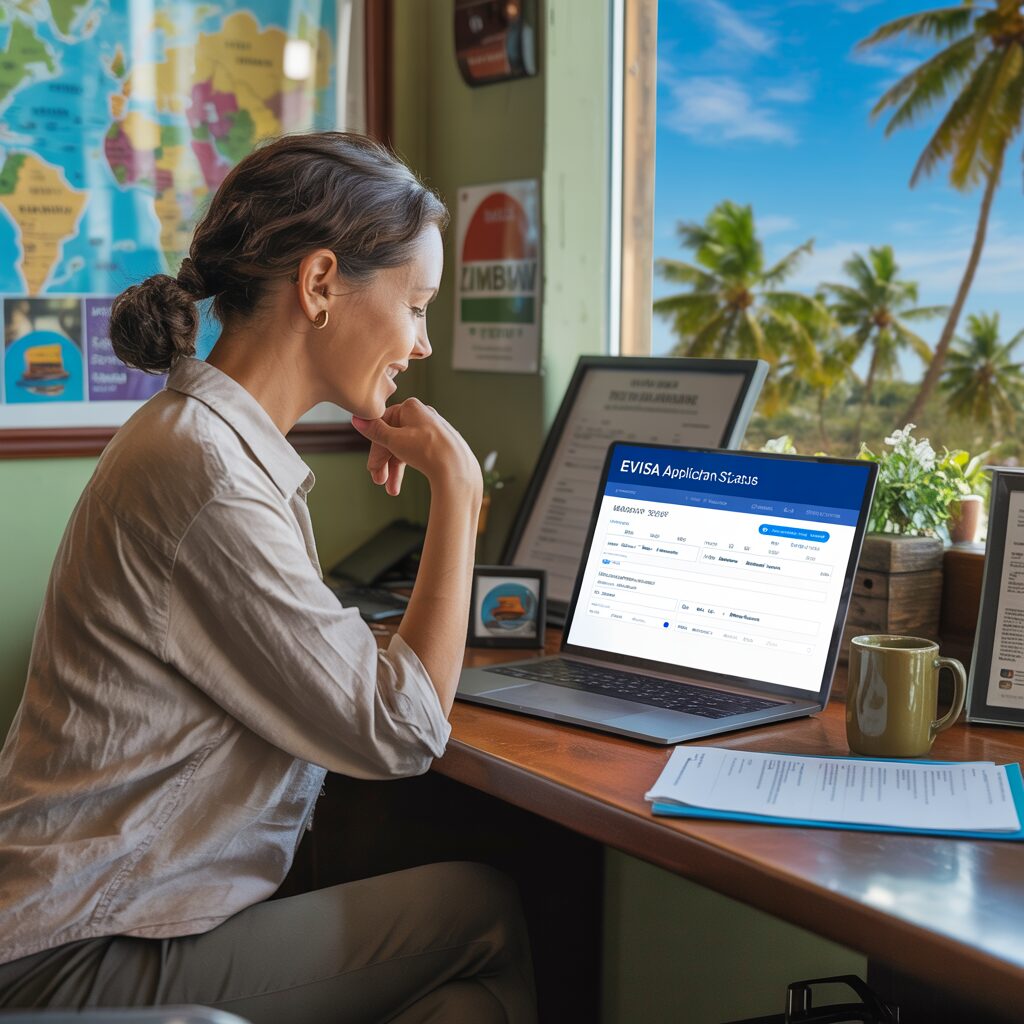
To track your Zimbabwe eVisa application status, log in at evisa.gov.zw with your reference number and navigate to „My Applications.“ Standard processing takes 3–7 working days. There are four possible status codes: Processing, Approved (download your Letter of Authority), Rejected, or Additional Documents Required.
How to Check Your Zimbabwe eVisa Status Online
The Zimbabwe Department of Immigration provides a real-time tracking system through the official eVisa portal. All applicants can monitor their application status at any point after submission.
What You Need to Track Your Application
- 📧 Email address used during registration on evisa.gov.zw
- 🔑 Account password created during application
- 📋 Application reference number — provided at the time of submission
- 🛂 Passport number — as entered in your application
If you cannot find your reference number, check the confirmation email sent by evisa.gov.zw immediately after your application was submitted.
Step-by-Step Tracking Guide
- Visit evisa.gov.zw and click „Sign In“ at the top of the page.
- Enter your email and password — the same credentials used when you applied.
- Navigate to „My Applications“ in your account dashboard. This section lists all submitted applications.
- Locate your application by reference number or travel date.
- View current status — the system updates in real time as Zimbabwe Immigration reviews your file.
- Take action based on status — see the full status guide below.
Understanding Zimbabwe eVisa Application Status Codes
The Zimbabwe eVisa system uses four distinct status codes. Each requires a different response from the applicant.
| Status | Meaning | What to Do |
|---|---|---|
| Processing / Under Review | Application received and being reviewed by Zimbabwe Immigration | Wait — standard processing is 3–7 working days. No action needed unless 7+ days pass. |
| Approved / Granted ✅ | eVisa approved — Letter of Authority issued | Download the Letter of Authority PDF from your account. Print it and carry to Zimbabwe border. |
| Additional Documents Required ⚠️ | Immigration needs clearer scans or missing documents | Log in immediately, review the request, upload corrected/additional documents. Processing restarts. |
| Rejected / Declined ❌ | Application denied by Zimbabwe Immigration | Review the rejection reason. Correct errors and submit a fresh application with a new $30 fee. |
Zimbabwe eVisa Processing Time — How Long to Wait
Standard Zimbabwe eVisa processing takes 3 to 7 working days from the date of submission. „Working days“ means Monday–Friday, excluding Zimbabwean public holidays.
Processing time considerations:
- 📅 Apply at least 2 weeks before travel — this gives buffer for document corrections or re-submission
- 🏖️ Peak seasons are slower — December–January (Christmas/New Year) and July–August (European summer) see higher application volumes
- ⚡ Category C applicants (India, Pakistan, China, Philippines) may experience slightly longer processing than Category B
- 📄 Incomplete applications add time — blurry scans or missing documents trigger an „Additional Documents Required“ status, resetting the clock
There is no officially guaranteed expedited processing option available through evisa.gov.zw as of 2026. If time is critical, consider applying even earlier or contacting Zimbabwe Immigration directly.
What to Do If Your Zimbabwe eVisa Is Delayed
If your application status shows „Processing“ for more than 7 working days without any update, take the following steps:
How to Contact Zimbabwe Immigration
- Log in to your evisa.gov.zw account
- Navigate to the Help/Contact section within the portal
- Submit an inquiry referencing your application reference number
- Alternatively, email Zimbabwe Immigration at the address listed on the official evisa.gov.zw/contact page
- Include: full name, passport number, application reference, travel date, and a brief description of the issue
Common Reasons for Delays
- High application volume during peak travel periods
- Documents under additional scrutiny (common for Category C nationalities)
- Technical issues with the evisa.gov.zw system (rare but possible)
- Public holidays in Zimbabwe
- Application flagged for manual review
Important: Do not submit a second application while the first is still being processed — this can cause confusion and further delays. Wait for a definitive status or an official response from Zimbabwe Immigration before taking further action.
What to Do If Your Zimbabwe eVisa Is Rejected
A rejection is not necessarily final. Many Zimbabwe eVisa rejections are due to correctable issues — poor document quality, insufficient proof of funds, or mismatched information.
Rejection response steps:
- Log in to evisa.gov.zw and check the rejection reason in your application record
- Identify the specific problem (e.g., blurry passport scan, unconfirmed flight booking, photo background issues)
- Prepare corrected documents addressing the rejection reason
- Submit a fresh application — a rejected application cannot be amended; a new $30 fee applies
- If the rejection reason is unclear or appears to be an error, contact Zimbabwe Immigration with your reference number
Common rejection reasons include: expired or near-expiry passport, unconfirmed travel bookings (draft bookings are not accepted), low-quality document scans, mismatched name between application and passport, and insufficient financial evidence.
Additional Documents Required — What It Means
If your status shows „Additional Documents Required,“ Zimbabwe Immigration is not rejecting your application — they need more information. This is a recoverable status.
How to respond:
- Log in to evisa.gov.zw → My Applications
- Open the application and read the specific document request
- Upload the requested documents promptly (the faster you respond, the faster processing resumes)
- Ensure all uploads are clear, correctly oriented, and within the file size limits
Commonly requested additional documents include: higher-resolution passport scan, additional bank statements, clearer accommodation booking, or travel insurance certificate.
How to Download Your Approved Zimbabwe eVisa
When your status changes to Approved, your Letter of Authority is immediately available for download:
- Log in to evisa.gov.zw
- Go to „My Applications“ → locate your approved application
- Click „Download Letter of Authority“ — saves as a PDF
- Print the document — Zimbabwe border officers require a physical printed copy
- Carry the printed Letter of Authority together with your original passport at all times during your Zimbabwe trip
Do not assume a digital copy on your phone is sufficient. While some officers may accept a digital version, border regulations officially require a printed Letter of Authority. Print at least 2 copies as backup.
You also receive the Letter of Authority by email — check your inbox (and spam folder) as soon as your status shows Approved.
Frequently Asked Questions
How do I check my Zimbabwe eVisa application status?
How long does Zimbabwe eVisa processing take?
What does „Processing“ status mean for my Zimbabwe eVisa?
What should I do if my Zimbabwe eVisa shows „Additional Documents Required“?
How do I download my approved Zimbabwe eVisa / Letter of Authority?
What happens if my Zimbabwe eVisa is rejected?
What do I do if my Zimbabwe eVisa processing takes longer than 7 days?
Can I track my Zimbabwe eVisa without logging in?
Need more help with your Zimbabwe eVisa? See also: Zimbabwe eVisa for Indian Citizens | Zimbabwe eVisa for Pakistani Citizens | Full Zimbabwe eVisa Requirements.